Oleon
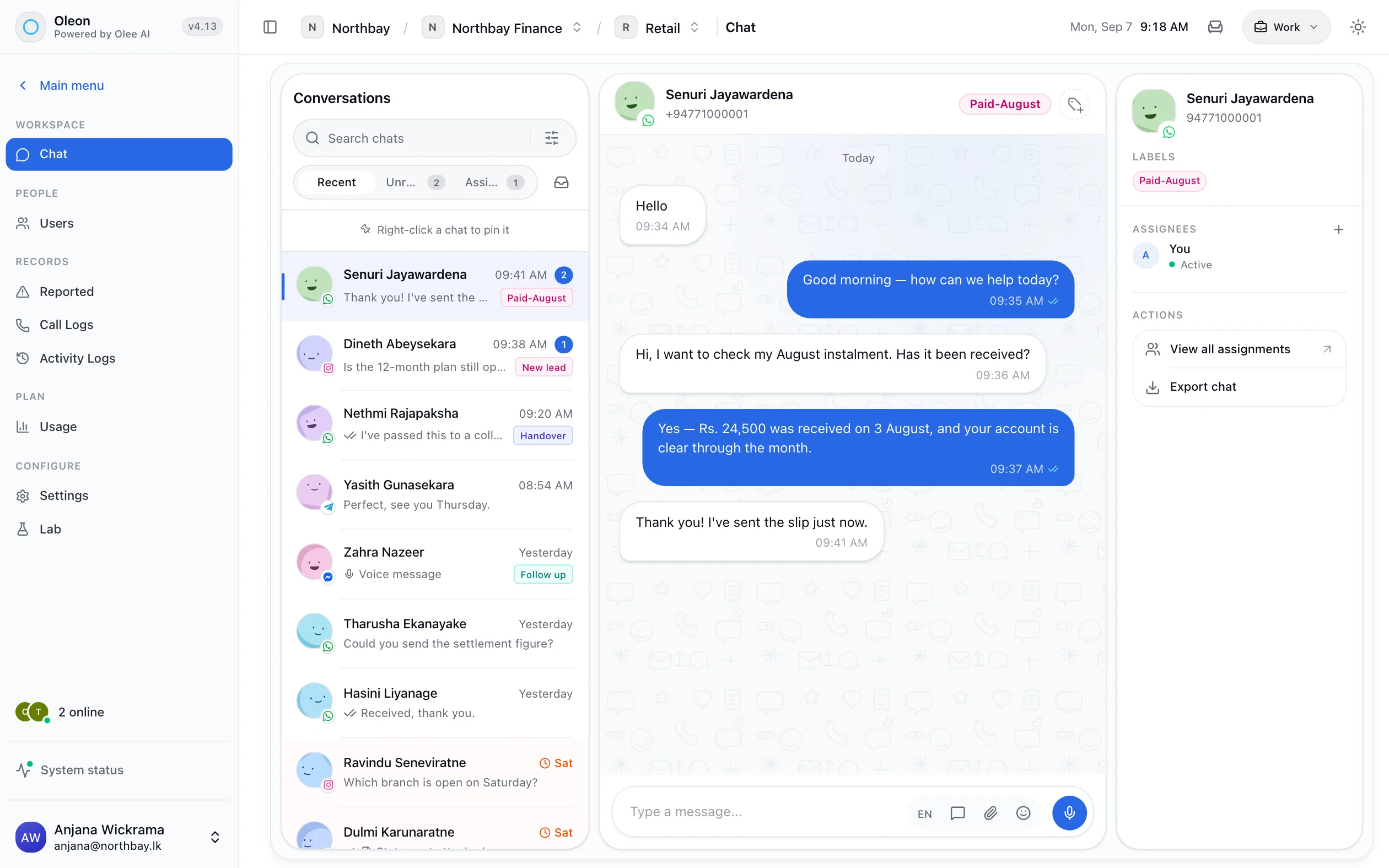
OleonFacebook Messenger inbox
Messenger, in the inbox
with everything else.
Messenger is the channel most often left running unattended, because it is attached to a Page that marketing owns and support never opens. Conversations arrive there anyway.
Pages
It belongs to the Page.
Not to whoever set it up.
It belongs to the Page, not a person.
Connection is per Page, and each Page has an owner in the workspace. Connect as many as you run, and none of them hangs on one employee’s login.
The quieter channel
Same queue. Same rules.
Nothing new to learn.
Same queue, same rules.
Assignment, labels and search work exactly as they do for WhatsApp. No second screen for the channel nobody was watching.
You are told when it breaks.
Page tokens expire and permissions get revoked. Live status turns that into a notice today, not a month of silence you find out about later.
The agent answers here too.
The AI agent works on every connected channel, Messenger included, and hands over to a person when the question needs one.
Tech specs
Every one of these is a screen in the product.
- Messenger
- A wizard for each channel
- Channel ownership
- Live connection status
- Told before it breaks
- One inbox, every channel
Questions
Before you ask.
The ones we hear most about Facebook Messenger inbox. If yours is not here, the answer is a message away.
What do we need to connect Messenger?
A Facebook Page and an admin who can grant messaging permissions to the app.
Can one workspace connect several Pages?
Yes, each with its own owner.
Does the AI agent work on Messenger?
Yes. The agent answers on any connected channel.
Keep exploring.
More of what Oleon does.
All channelsIt starts with one conversation.
Bring the channels you already answer on into one place, and see what the rest of the week looks like.
Not ready to sign up? Join the waitlist and we will come to you.