Oleon
OleonCRM for logistics and delivery
Confirmed the day before.
Delivered the first time.
Day-before notices, address checks, COD confirmation, new delivery days, tracking and seller questions run on their own, on WhatsApp. Your coordinators get the exceptions, the night before instead of at the door.
Automation
What runs on its own.
Most of a delivery inbox is the same eight jobs.
The day-before notice. Sent by your system with the parcel, the day and the COD amount. Confirm is one tap.
The address, checked. A wrong address is fixed with a shared location or a form, the night before, not at the door.
Cash on delivery, agreed. The amount is in the notice. Nobody at the door is surprised by it.
Another day. The recipient picks a new day from buttons, and it goes to your system as it happens.
Where is my parcel. Looked up in your system by tracking number, and answered with its real state.
Book a pickup. Sellers book a collection on one WhatsApp Form. Your system gets it straight away.
COD payouts. Sellers ask when their cash is coming. The flow looks it up and tells them.
Exceptions to a coordinator. Not home, gate locked, damaged box. Assigned to the person who can reroute it.
The night before
Confirm it before the van leaves.
An address nobody checked is a failed delivery you paid for.
Confirm before the van leaves.
An address check and a cash on delivery confirmation as a template send is the cheapest intervention available, and the reply comes back to the inbox rather than to a phone in the yard.
Before the run sheet is printed.
Every change is back in your system by the evening, so the route in the morning is the route that will actually work.
One parcel
From the pickup to the seller’s payout.
Ten steps. One needs a person.
The pickup
A seller books a collection on a WhatsApp Form: how many parcels, where, and when. Scout posts it to your system, and the rider gets it on the route.
ScoutYour systemThe submission and the request“We have your parcel”
When the parcel is scanned in, your system sends the recipient a template with the tracking number, from your number.
Your systemThe template and its delivery stateThe day before
The notice goes out with the day, the address and the COD amount, and three buttons: confirm, change the address, another day.
Your systemThe template, its delivery state and the replyA new address
The recipient taps change address, and Scout asks them to share their location or fill in the address form.
ScoutThe location or the form, on the threadInto your system
Scout sends the new address or the new day to your system with the tracking number, and your system answers with what it accepted.
ScoutYour systemThe request and what came backOut for delivery
In the morning, your system sends the out-for-delivery template with the rider's name and a time window.
Your systemThe template and its delivery state“Where is my parcel?”
Asked at eleven, and again at two. Scout looks the tracking number up and answers with what your system says.
ScoutYour systemEach lookup and the answer it producedNot home
The recipient replies that they are out until five. It is requested for the coordinator on that route, who moves it to the evening run.
A personThe assignment, the coordinator and every replyDelivered
Your system sends the delivered template with the amount collected. The recipient's thread holds the whole delivery, start to finish.
Your systemThe template and its delivery stateThe seller's payout
The seller asks when the COD for last week is coming. Scout looks up the payout in your system and answers with the date and the amount.
ScoutYour systemEach lookup and the answer it produced
Notifications
Counted, not assumed.
Something to reconcile against a run sheet.
Notifications are per message, and reported.
Sent, delivered, read and failed, counted rather than assumed, so a batch of notifications is something you can reconcile against a run sheet. The forty-two that failed are a call list for the evening, not a surprise for the rider.
Exceptions
Exceptions become conversations.
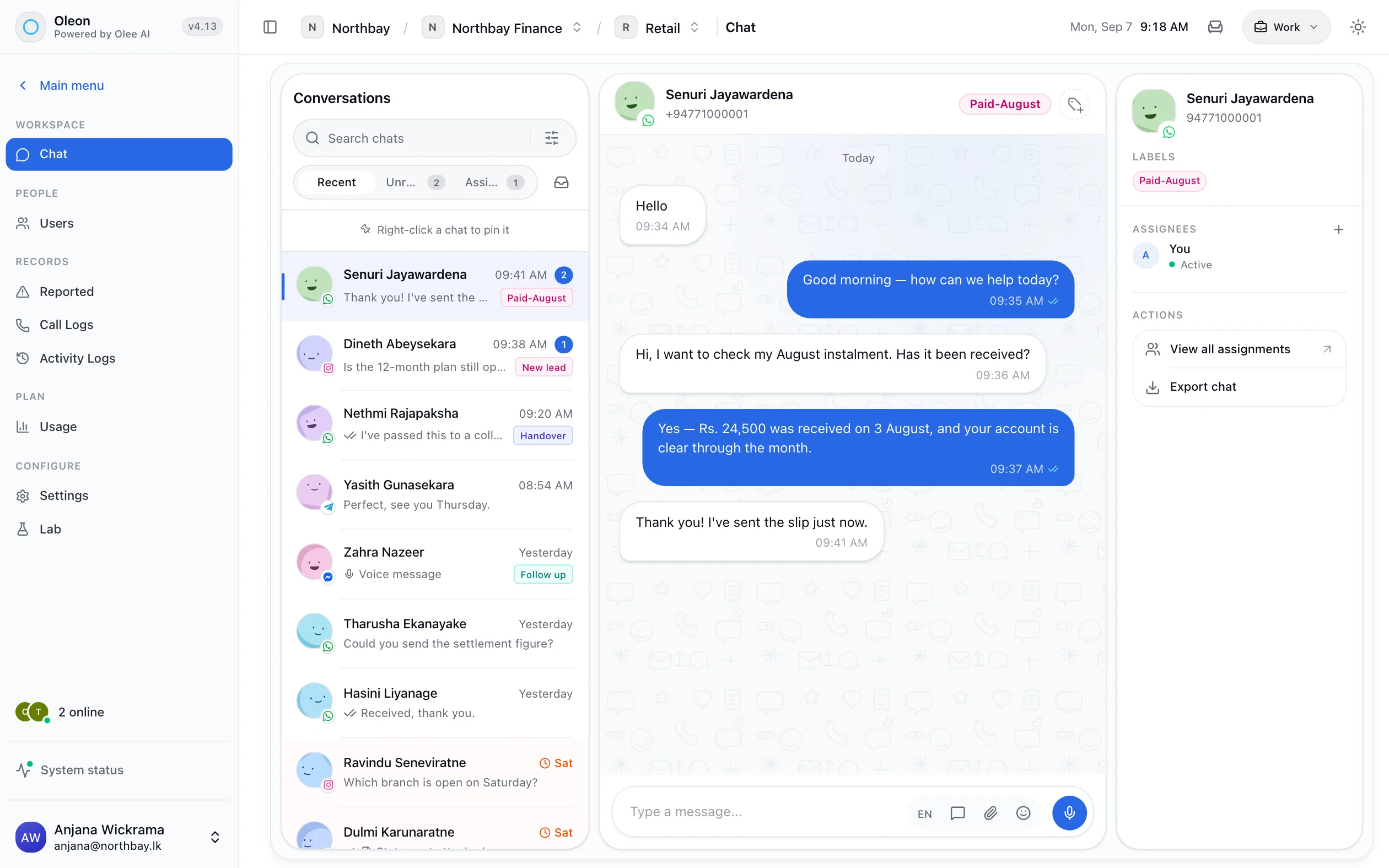
A recipient who replies with a new time or a corrected address creates a thread against their contact, which is where the driver's coordinator can see it.
Where to use it
Four kinds of delivery business.
Each one a flow you can build in an afternoon.
- Starts with
- Tomorrow's run sheet
- Runs on its own
- Day-before notices, address and day changes, tracking lookups, out-for-delivery
- Comes to a person
- Exceptions on the road, damage and complaints
- Starts with
- A seller booking a pickup
- Runs on its own
- Pickup forms, stock and order status lookups, COD payout questions
- Comes to a person
- Disputes, returns and account changes
- Starts with
- “Has my container cleared customs?”
- Runs on its own
- Shipment status lookups, document requests, arrival notices
- Comes to a person
- Clearance problems, charges and quotes
- Starts with
- An order that goes out tomorrow
- Runs on its own
- The day-before notice, COD confirmation, delivery windows
- Comes to a person
- Large orders, installations and special handling
Controls
The operator’s rules, not the bot’s.
Your system has the last word on every parcel.
COD limits, as conditions
An amount above your line, or a change on the day of delivery, routes to a coordinator.
Your system has the last word
A change is only confirmed to the recipient after your system accepts it.
Coordinators and seller support, apart
Roles and assignment keep recipients' exceptions and sellers' questions with different teams.
Every number has an owner
The recipient line and the seller line can be different numbers, each with its own team.
Every action on the record
Who rerouted a parcel, and when, is in the activity log, not in someone's memory.
Tested before it is live
A test panel and a problems list in Bot Studio, and every published version kept.
Getting started
Switch it on in this order.
The first step cuts failed deliveries.
Send the day-before notice
Get the template approved and send it from your system. Failed deliveries fall first.
Take the changes
Address and day changes as a Scout flow, sent back to your system before the run sheet is printed.
Answer tracking
One lookup by tracking number. The question asked most, answered without a person.
Serve the sellers
Pickup booking and COD payout lookups for the merchants who send you parcels.
Tech specs
Every one of these is a screen in the product.
- Send from your own system
- Templated sends
- Segment a list
- Delivery reported per message
- Replies land in the inbox
- Lookups to your own system
- WhatsApp Forms
- Assign a conversation
- Labels, with an owner
- Activity logs
Questions
Before you ask.
The ones we hear most about CRM for logistics and delivery. If yours is not here, the answer is a message away.
Can a recipient change the address or the day themselves?
Yes. A Scout flow takes the new address as a shared location or a form, or the new day as a button, and sends it to your system with the tracking number. The recipient is told only once your system has accepted it.
Can we send delivery notifications in bulk?
Yes, as approved templates to a segmented list, with delivery reported per message.
Do replies to a notification reach anyone?
Yes, they land in the shared inbox as conversations against the contact, not in a void.
Can we confirm cash on delivery amounts beforehand?
Yes, that is a template send and a reply, and it is one of the most common uses of the product here.
Keep exploring.
More of what Oleon does.
All industriesIt starts with one conversation.
Bring the channels you already answer on into one place, and see what the rest of the week looks like.
Not ready to sign up? Join the waitlist and we will come to you.