Oleon
OleonCRM for real estate
First to reply.
First to the viewing.
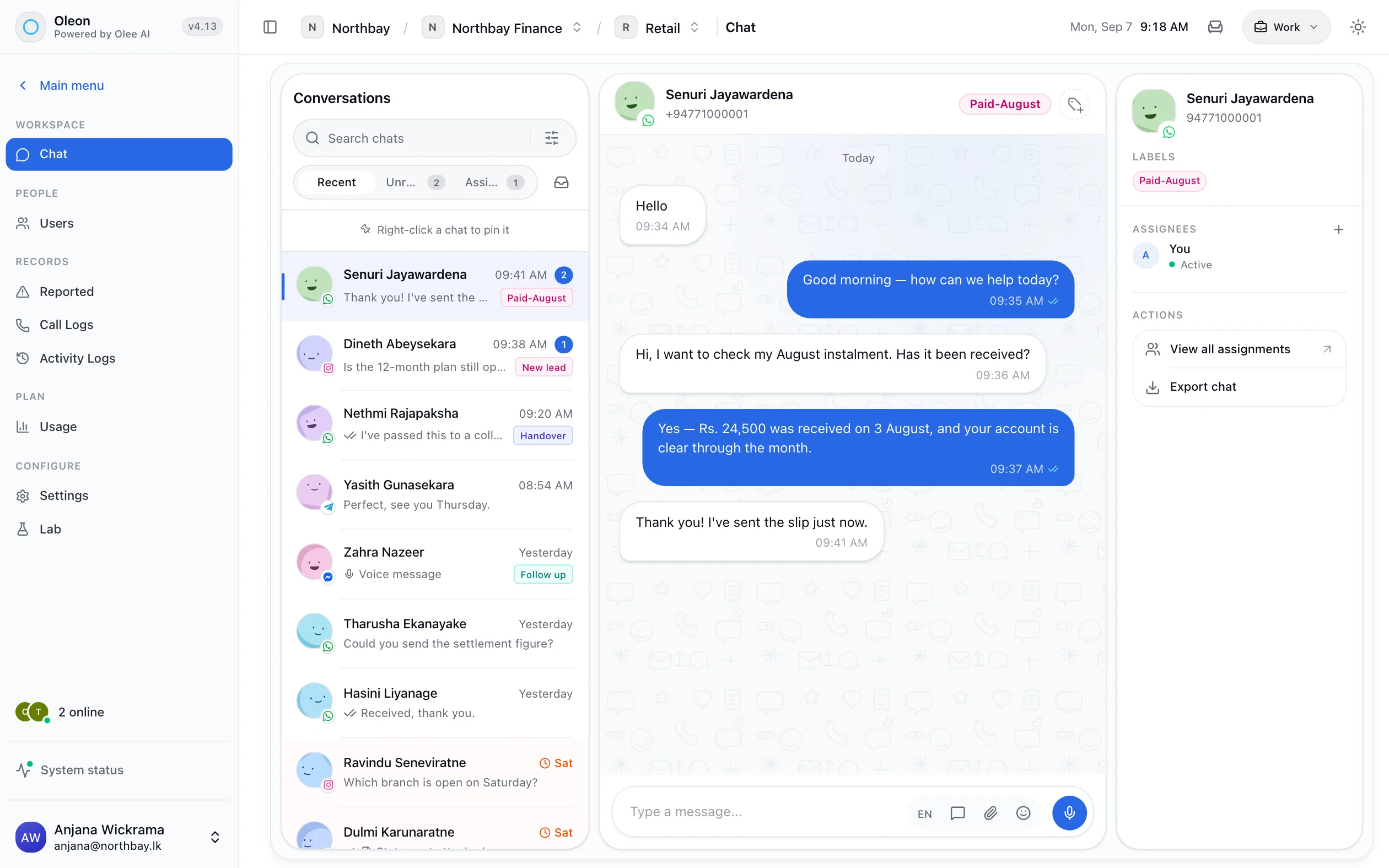
The first reply, listings, qualifying questions, routing to the right agent, viewing requests and follow-ups run on their own, on WhatsApp. Your agents spend their time at viewings, not typing the same answer to four buyers.
Automation
What runs on its own.
Most of an agent's inbox is the same eight jobs.
The first reply. In seconds, at any hour, from the knowledge base you wrote. First is what gets the viewing.
Listings in the chat. One listing, a list or a carousel from your WhatsApp catalog, with photos and the price.
Qualify the buyer. Budget, area, loan or cash, when they want to move. Each answer becomes a label.
An agent, immediately. The lead is requested for the agent who covers that area. One owner, from the first minute.
The viewing time. Days and times as buttons. The agent opens a lead with the viewing already asked for.
Photos and floor plans. Sent by the flow and kept on the thread, so the next agent sees what the buyer saw.
The follow-up. New listings to the buyers labelled with that area and budget, as an approved template.
Leads that outlive an agent. The history belongs to the agency. Reassign it and the new owner has everything.
Response time
One buyer. Four agencies. One minute.
The ranking that decides the viewing is not the fee.
The first reply takes seconds, at any hour.
The buyer messaged four agencies inside a minute. The one that answered while the others were at viewings is the one they keep talking to.
An enquiry gets an owner immediately.
Assignment decides whose lead it is before two agents answer the same buyer with two different prices, which is the way an agency loses a listing and a customer at once.
One buyer
From a tap on the listing to the next listing.
Ten steps. The agent's time goes to the viewing.
A tap on the listing
A buyer sees the three-bedroom house in Battaramulla and taps the listing's Message button. The enquiry arrives with the listing attached, and a Scout flow starts on it.
ScoutThe enquiry, with the listing it came fromAnswered in seconds
Still available? Parking? Title deeds clear? The agent answers from the knowledge base for that project, while four other agencies have not seen the message yet.
AI agentThe answer, in the thread, marked as the agent'sQualified, in four taps
Scout asks the budget, the areas, loan or cash, and when they want to move, as buttons. A budget above your line routes to a senior agent.
ScoutLabels such as Buyer, Battaramulla, 40–50M and LoanAn owner
The lead is requested for Ruwan, who covers Battaramulla. The rest of the team can see it is his, so two agents never quote the same buyer two prices.
ScoutA personThe assignment and the assigneePhotos and the floor plan
Scout sends the listing's photos and a floor plan link. Whatever was sent stays on the thread for whoever reads it next.
ScoutEvery image and link, on the threadA viewing time
Saturday morning or Sunday afternoon, as buttons. Ruwan opens a lead that already has a viewing asked for.
ScoutThe time chosen, as a labelInto your CRM
If your listings and leads live in another system, Scout posts the buyer there as it happens, with the listing and the answers.
ScoutYour systemThe request in the flow's runThe viewing
Ruwan confirms, shares the location and meets the buyer. The conversation after the viewing is his, on the same thread.
A personEvery reply, and who sent it“We're still thinking”
Three weeks later, a new listing in Battaramulla under 50M goes to every buyer labelled with that area and budget. A reply lands with Ruwan's lead, not in a new one.
ReachDelivery per message, replies in the threadThe agent moves on
Ruwan leaves the agency. His leads are reassigned, and the new owner reads every listing sent, every question asked and every viewing booked.
A personThe reassignment, and the whole history with it
Follow-up
The sale is in the follow-up.
Not a buyer somebody forgot about.
The follow-up is where the sale is.
Follow-up messages and labelled stages keep a buyer who is thinking about it from becoming a buyer somebody forgot about.
Replies go back to the agent who owns the lead.
A reply is the same buyer’s conversation, with every listing already sent above it, still assigned to the agent who knows them.
Handover
Pick up a colleague’s lead.
Without asking the buyer what they already said.
Photographs and documents live in the thread.
Floor plans, images and voice notes stay attached to the conversation, so an agent picking up a colleague's lead has what was already sent.
Ownership
The lead is the agency’s.
Not the agent’s phone.
Buyers write to the agency’s number, and every conversation belongs to the workspace. When an agent leaves, their leads are reassigned with the whole history, instead of leaving in their pocket.
Where to use it
Four kinds of property business.
Each one a flow you can build in an afternoon.
- Starts with
- A buyer tapping Message on a listing
- Runs on its own
- The first reply, qualifying, an agent by area, photos, the viewing request
- Comes to a person
- Viewings, negotiation and the offer
- Starts with
- “What's the price of a two-bedroom on the 8th floor?”
- Runs on its own
- Unit types and payment plans from the knowledge base, brochures, site-visit requests
- Comes to a person
- Reservations, discounts and the sales agreement
- Starts with
- A tenant enquiry, or a tenant reporting a leak
- Runs on its own
- Availability, the tenant details form, rent reminders, maintenance requests by label
- Comes to a person
- Leases, deposits and the repair itself
- Starts with
- “Are there any blocks left under 20 perches?”
- Runs on its own
- Blocks, prices and deeds from the knowledge base, the site-visit request, follow-ups
- Comes to a person
- Surveys, deeds and the payment plan
Controls
The agency’s rules, not the bot’s.
The bot answers first. People close.
Every lead has one owner
Assignment is visible to the team, so nobody answers a buyer someone else is already talking to.
Prices as you wrote them
The agent quotes the price and the terms in your knowledge base. Negotiation is for people.
Big budgets to senior agents
A budget or a project above your line, and the flow routes the lead to a senior agent.
Roles for the team
Agents see their leads; managers see everyone's. Every channel has an owner.
The number is the agency's
Buyers write to the agency's number, not an agent's personal phone. It stays when people go.
Tested before it is live
A test panel and a problems list in Bot Studio, and every published version kept.
Getting started
Switch it on in this order.
The first step wins the next buyer.
Write the answers
Each project's prices, sizes, parking and payment terms, in the knowledge base. The first reply goes to seconds.
Qualify every enquiry
Budget, area, loan or cash, and when, as buttons. Every lead arrives labelled.
Route to agents
Each area or project to its agent. One owner from the first minute.
Follow up by label
Get a new-listing template approved and send it to the buyers who match. The sale is in the follow-up.
Tech specs
Every one of these is a screen in the product.
- Grounded answers
- Products, carts and orders
- Menus, questions and conditions
- Request a person
- Assign a conversation
- Follow-up messages
- Labels, with an owner
- Label a contact by reaching a step
- Templated sends
- Segment a list
- Images and documents
- Saved replies
- Search the whole history
Questions
Before you ask.
The ones we hear most about CRM for real estate. If yours is not here, the answer is a message away.
Can leads be routed to a specific agent?
Yes. Conversations are assigned, and the rest of the team can see who owns one.
Can we tag a buyer by what they asked about?
Yes. Labels can be applied by a person or automatically when a contact reaches a step in a flow or taps a button, and the label records which it was.
What happens to a lead when an agent leaves?
The conversation and its history belong to the workspace, not to the agent's phone. Reassign it and the new owner has everything.
Keep exploring.
More of what Oleon does.
All industriesIt starts with one conversation.
Bring the channels you already answer on into one place, and see what the rest of the week looks like.
Not ready to sign up? Join the waitlist and we will come to you.